Free SSL Certificate: How to Get One and When It's Worth Paying
Free SSL certificates are just as secure as paid ones. Here's how to get a free SSL certificate for your website, what really differs from a paid certificate, and when paying makes sense.
Every website needs SSL. Without it, browsers label your site "Not secure", visitors hesitate, and anything they type travels unprotected. The good news: an SSL certificate doesn't have to cost a thing.
Here's how to get a free SSL certificate, what you actually give up compared with a paid one, and the few cases where paying makes sense.
Is a free SSL certificate really as secure?
Yes. A free certificate from Let's Encrypt uses the same encryption as a paid one, and every major browser trusts it. Visitors see exactly the same padlock.
What changes between free and paid isn't the security of the connection. It's what the certificate proves about you, how long it lasts, and the extras around it.
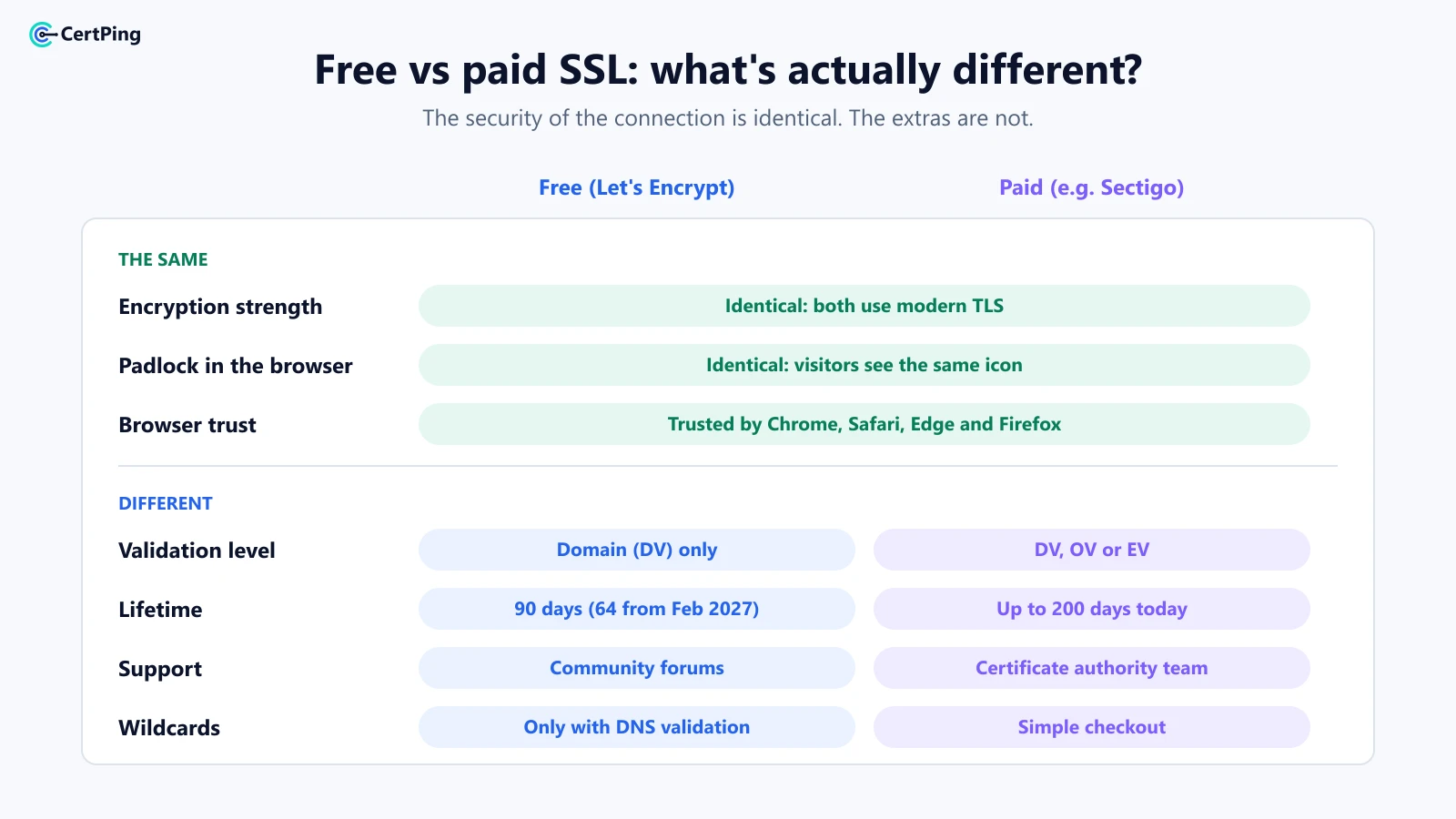
Free vs paid SSL: what's actually different
These are the same:
- Encryption strength. Both protect data in transit equally well.
- The padlock. Browsers show the same icon for both.
- Browser trust. Let's Encrypt is trusted by Chrome, Safari, Edge and Firefox.
These are different:
- Validation level. Free certificates are domain validated (DV), which proves you control the domain. Paid certificates can also be organization validated (OV) or extended validation (EV), which confirm your company's identity.
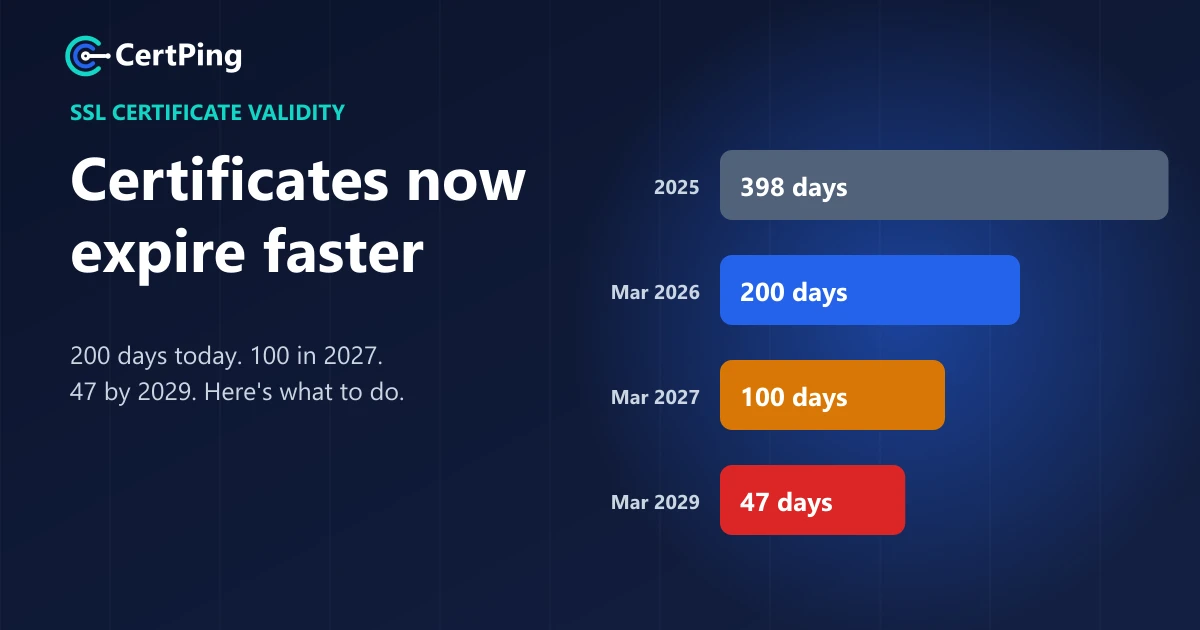
- Lifetime. Let's Encrypt certificates last 90 days, and from February 10, 2027, they'll last 64 days by default. Paid certificates can last up to 200 days today. Either way, renewal is a regular job now.
- Support. Free certificates come with community support. Paid ones come with the certificate authority's support team.
- Wildcards. Let's Encrypt only issues free wildcard certificates through DNS validation, which needs a DNS provider your renewal tool can talk to.
How to get a free SSL certificate
There are three common ways, from easiest to most hands-on.
1. Use a platform that does it for you
Services like CertPing issue free Let's Encrypt certificates for domains you own, so you don't need to touch a server or a command line. You add your domain, prove you own it, and the certificate is issued from a dashboard.
2. Check your hosting provider
Many web hosts include free Let's Encrypt certificates with a one-click "Enable SSL" button. If your site lives on one server with one host, this is often enough.
3. Set it up yourself with an ACME tool
If you run your own server, an ACME client such as Certbot can request and renew Let's Encrypt certificates for you. It's free and powerful, but you're responsible for keeping renewals working.
When is it worth paying for SSL?
For most websites, blogs, shops and SaaS apps, a free certificate is the right choice. Paying makes sense when:
- You need your company's identity checked. Some partners, tenders or industries ask for OV or EV certificates.
- You want a support team to call. Useful when certificates sit on critical systems.
- You want a wildcard without DNS automation. A paid wildcard can be simpler if your DNS provider has no API.
- You need a multi-domain certificate covering several different domains in one go.
How to get a free SSL certificate with CertPing
CertPing makes free SSL simple, and keeps the paid options close for when you need them:
- Free Let's Encrypt certificates on every plan. No trial, no catch, and renewing them from your dashboard is free too.
- No server skills needed. Create an account, add a domain you own and issue a certificate from the dashboard.
- Every certificate in one place, so you always know what's live and when it expires.
- Paid certificates when you need them. Sectigo PositiveSSL is $19.96 a year, Multi-Domain is $36.03 a year for 3 names, and Wildcard is $126.57 a year, all paid per order. See pricing.
- Domains and DNS in the same account. Register or transfer your domain with DNS included.
- No card needed. The Essentials plan has no monthly fee.
Get your free SSL certificate →
Frequently asked questions
Is a free SSL certificate good enough for an online store?
Yes, for most stores. The encryption that protects card details and passwords is the same. In most stores the payment provider handles the card data itself, and a free DV certificate secures the connection to your site.
Does a free SSL certificate affect SEO?
No. Google treats HTTPS as a ranking signal, and it doesn't care whether the certificate was free or paid. What matters is that HTTPS works on every page.
How long does a free SSL certificate last?
Let's Encrypt certificates last 90 days today, and 64 days from February 10, 2027. That's why automatic or one-click renewal matters. Our guide to SSL certificate validity changes explains the full timeline.
Can I get a free wildcard SSL certificate?
Yes, from Let's Encrypt, but only with DNS validation. Our wildcard SSL guide explains how wildcards work and when a paid one is simpler.